
Booking by the guest
You decide per property whether guests may book themselves or only you enter bookings.


For holiday homes, holiday flats and short-term lets
The occupancy plan is included in immoprofessional and activated per property. You see bookings in the administration; your guests see available dates on your website.
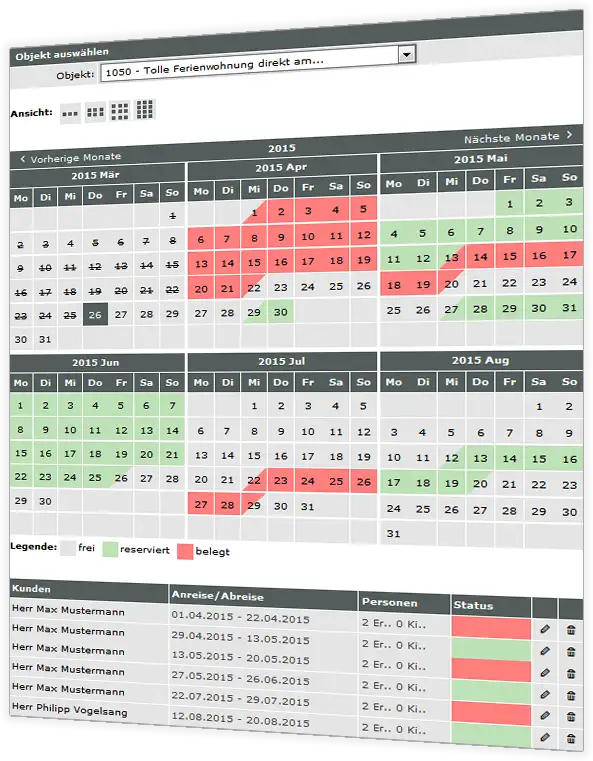
The calendar shows for each day whether the property is available, reserved or occupied. Below it is the occupancy list with guest, arrival and departure and number of persons.
On your website the calendar appears in the property's exposé. Prospects see at once which dates are available.
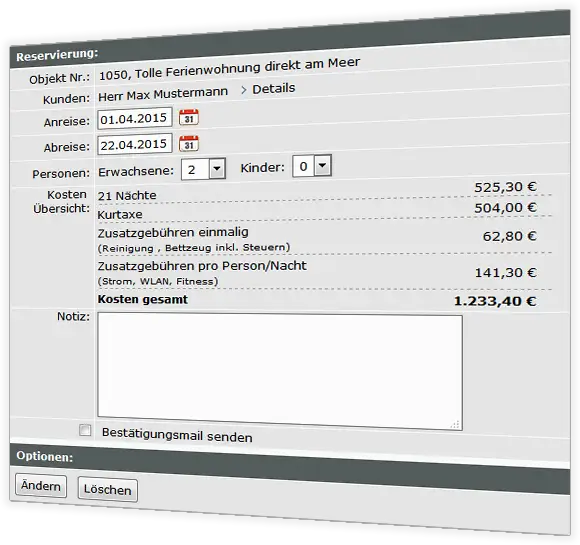
You create a booking yourself or your guest books directly in the exposé. The software calculates nights, visitor's tax, additional costs and the total price automatically.
You are informed of new bookings by e-mail. You confirm or change them in the administration and send the guest a confirmation e-mail if you wish.
You decide per property whether guests may book themselves or only you enter bookings.
The occupancy plan adopts the colours and fonts of your website automatically.
Whether one holiday home or an entire portfolio: all holiday properties are included in the monthly price.
Create a holiday property with seasons and prices in the trial version and try out the booking on your website. Free of charge and without obligation.
Request a free trialNo. It is included in the real estate software and activated per property as needed. Any number of holiday properties is included in the monthly price.
Yes, if you wish. The occupancy plan appears in the exposé on your website; guests choose arrival and departure and book. You receive an e-mail and confirm or edit the booking. Alternatively, only you enter bookings.
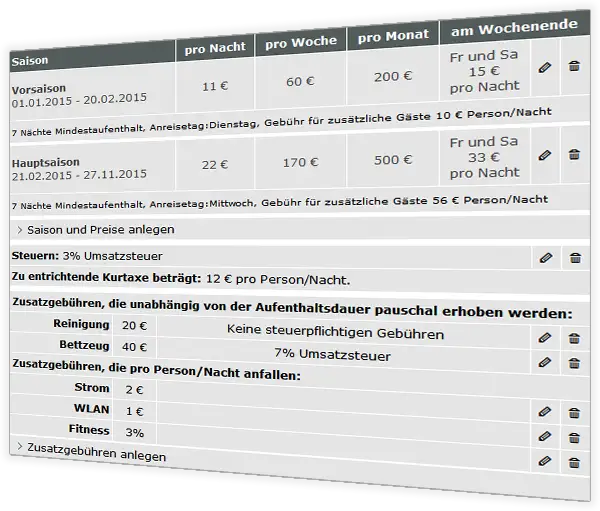
You store seasons with prices per night, week or month, plus taxes, visitor's tax and additional costs. The software calculates the total price of a booking automatically.
Yes. The occupancy plan adopts the design of your website automatically.